Fake it till
you make it.
The #1 Fake Crypto Wallet App 🤑
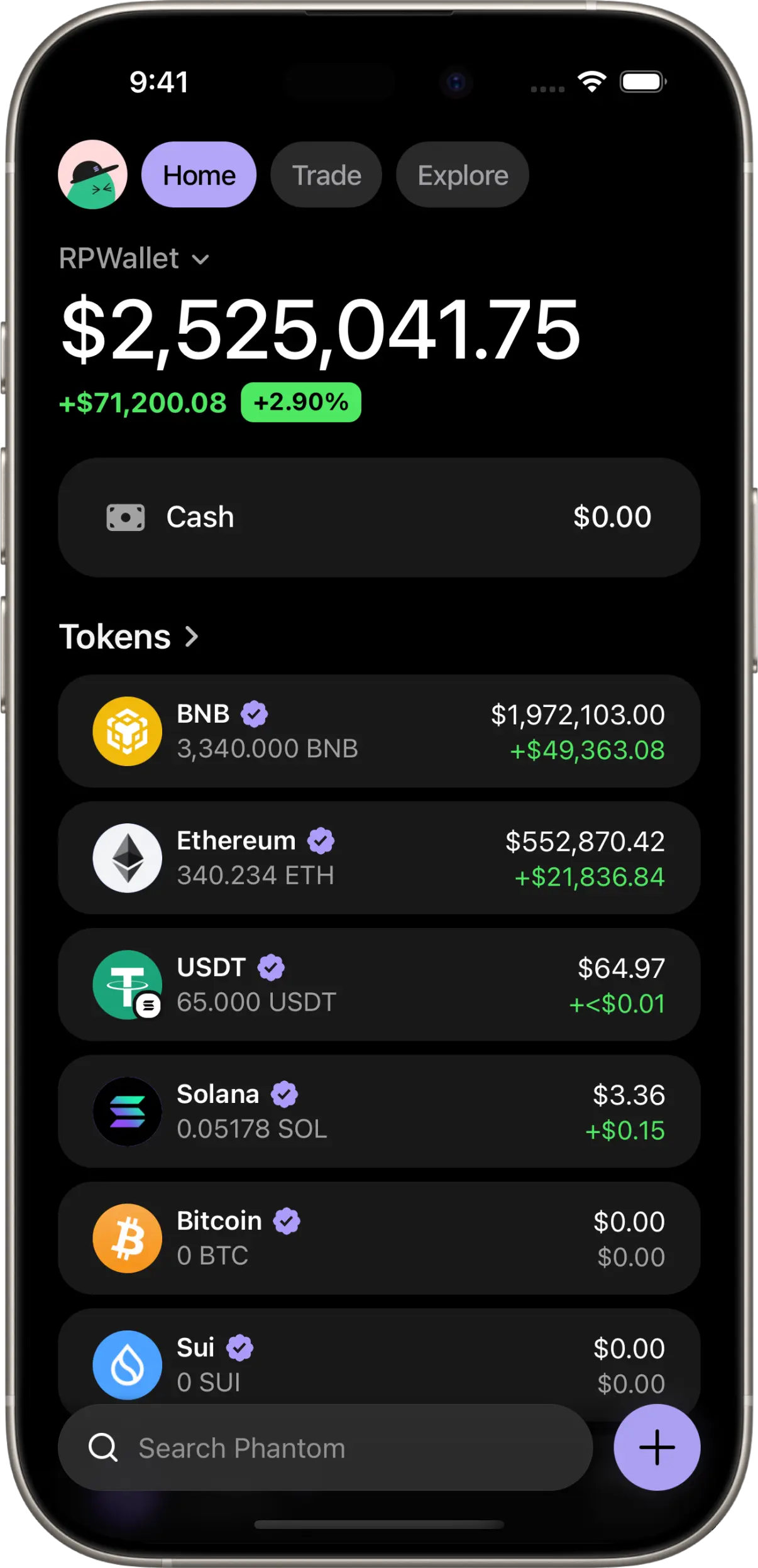
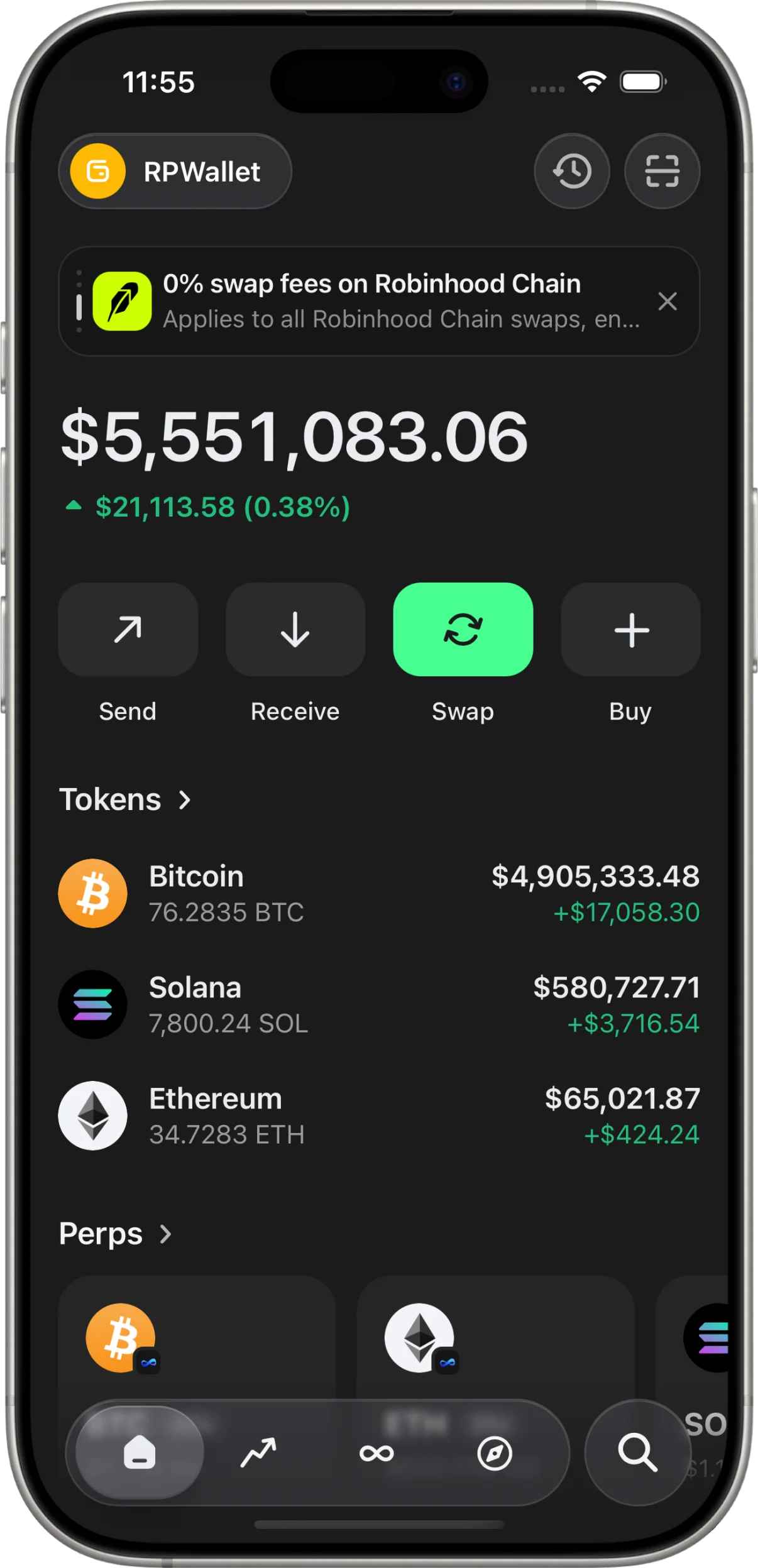
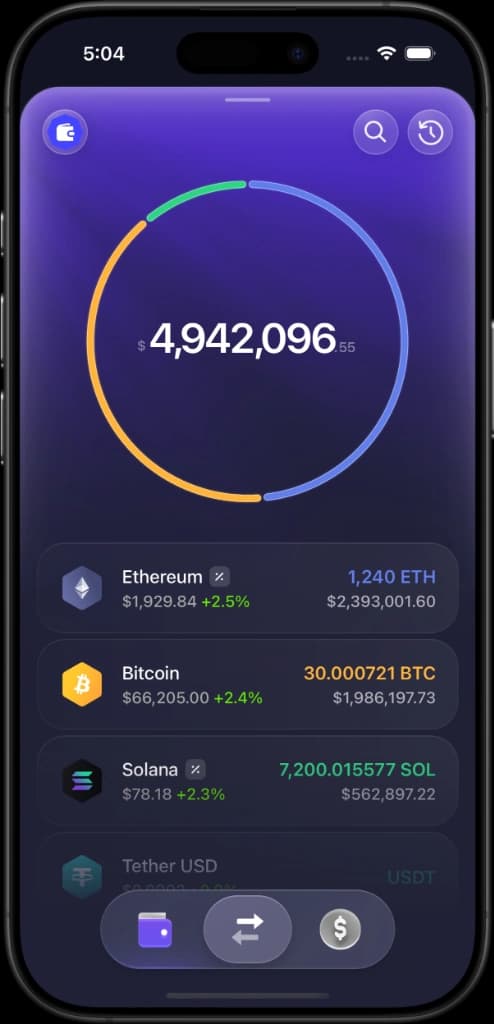
Set any balance on an exact replica of Phantom, Trust Wallet, or Exodus interface. Flex online, grow your social media or prank your friends - built purely for entertainment.
Features
We have built the best LARP wallets for simulation.

Send Between Users
Send crypto to other RolePlay Wallet users and have it appear live in their wallet — instantly with a push notification.

Custom Balances
Set any balance for any token. Show off millions or keep it subtle — it's your call.

Pixel-Perfect UI
Designed to look identical to popular wallets. Perfect for screenshots, videos, flexing on your group chat or growing your social media.

No Data Collected
We don't ask for seed phrases, private keys, or personal information. Keep your real wallet hidden while you're flexing.

Custom Receive Alerts
Trigger real push notifications that show you receiving crypto — on demand, from any device.
No Downloads Required
Installs as a PWA on an iOS. No app store required.
How to get started.

Step 01
Choose Your Plan
Select a license plan in the Pricing section below. Instant delivery with zero hidden fees.

Step 02
Get Your License Key
You'll immediately receive your unique activation key via email and on checkout.

Step 03
Activate & Install
Enter your key, install the app on your device, and start creating content in seconds.
Have any questions? We respond within a few hours, contact us on Telegram Support.
Reviews
Vouches straight from our telegram channel.
“Phantom one is crazy close fr. Works super smooth bro, appreciate u!”
“Key worked immediately, thanks g. This app is clean ngl!”
“The transaction history is clean asf. Phantom one is actually mad close, good looks my guy!”
“Yooo key activated smoothly! Everything works super clean, no issues at all thanks.”
“Damn this looks too clean, Trust Wallet looks clean too. Didn't expect it to be this good. Big vouch for RPWallet!”
“Lmao I made my friend a millionaire, the P2P transfer feature is actually crazy! Super realistic.”
“No lag bro, it's proper smooth now. Setup was super easy after that too, love bro!”
“Phantom one is indistinguishable. You'll go very far with this app, works smooth thanks!”
View More Vouches
Join our Telegram channel to see live reviews from real users
Choose your plan.
Instant license activation with zero recurring subscriptions.
7-Day Pass
Short term access- Full access on iOS or Android
- Access to all wallets
- Unlimited custom balances & tokens
- 1 active device
- Priority Telegram support
- Early access to new features
1-Month Pass
Full features unlocked- Full access on iOS or Android
- Access to all wallets
- Unlimited custom balances & tokens
- 1 active device
- Priority Telegram support
- Early access to new features
1-Year Pass
Best value for power users- Full app access on iOS or Android
- Access to all wallets
- Unlimited custom balances & tokens
- 2 active devices
- Priority Telegram support
- Early access to new features
Frequently Asked Questions.
Everything you need to know about RPWallet.
Is RPWallet a real crypto wallet app?
No. RPWallet is a wallet simulator and visual production tool. It never asks for a seed phrase, never connects to your real wallet, and cannot process real blockchain transactions.
Can I simulate Phantom, Trust Wallet, and Exodus?
Yes. RPWallet includes realistic Phantom-style, Trust Wallet-style, and Exodus-style mobile simulators for screenshots, short videos, demos, mock portfolios, and creator content.
Does RPWallet work on iPhone and Android?
Yes. RPWallet is built for mobile-first wallet visuals and can be used on iOS and Android as a web app.
What is RPWallet best used for?
RPWallet is best for creator content, roleplay scenes, product mockups, demo walkthroughs, and safe wallet screenshots where real balances or private wallet data should not be exposed.
How fast can I set it up?
After purchase, install the app, enter your license key, and follow the setup steps. Most users can start building a wallet scene in seconds.
How do P2P simulated transactions work?
Send simulated crypto to another RPWallet user. Their app can show a push notification, updated balance, and new transaction record, without moving any real crypto.
Can I customize tokens and balances?
Yes. You can set balances, add tokens or memecoins, edit wallet details, and create transaction activity that fits the scene you want to capture.
Does it work on iPhone and Android?
Yes. RPWallet installs as a Progressive Web App from your browser, so you can add it to your home screen without using the App Store or Play Store.
What wallets can I simulate?
RPWallet includes realistic Phantom-style and Trust-style mobile experiences, with live-looking balances, token pages, activity, and wallet flows.
How do I get my license key?
Your license key is delivered after checkout. Use it in the dashboard to activate your access and launch the wallet apps included with your plan.
What if I need help?
You can contact support on Telegram any time. Monthly and yearly plans include priority Telegram support.
RPWallet is built for people searching for a fake crypto wallet app, crypto wallet simulator, fake Phantom wallet, fake Trust Wallet, fake Exodus wallet, fake Phantom balance, fake Trust Wallet balance, fake Exodus balance, LARP wallet app, fake crypto wallet screen, Phantom LARP wallet, Trust Wallet simulator, Exodus simulator, and realistic wallet app for entertainment, demos, pranks, and creator content.