How to mirror a public address without connecting anything
Building a plausible token list by hand takes a while. The Watch Address tab skips it: paste any public Solana address and the simulator populates itself from holdings that are already public on-chain. No wallet is connected, nothing is signed, and no private key is ever involved.
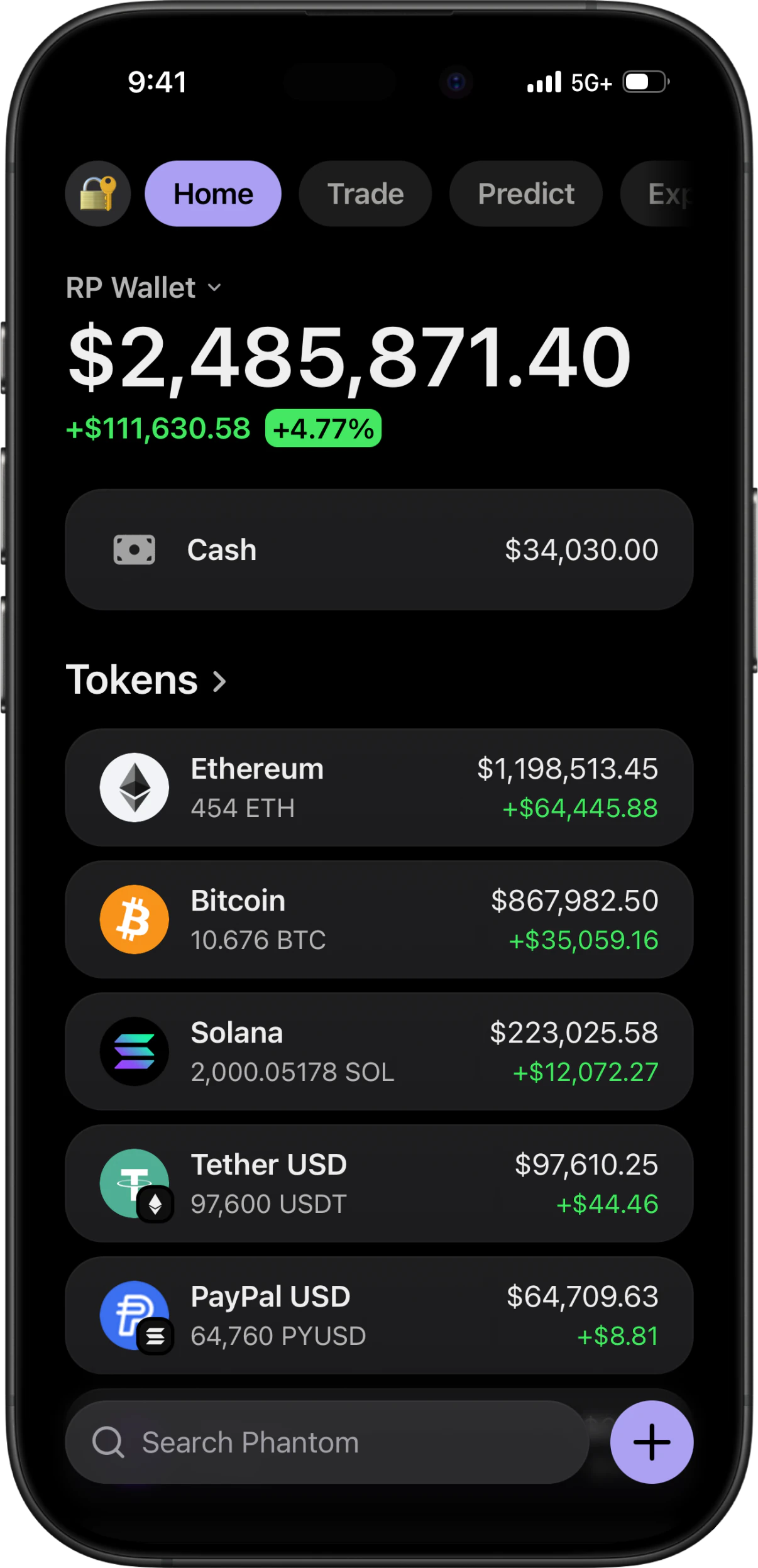
The short answer
To mirror a public address in RPWallet: open Manage Tokens, switch to the Watch Address tab, paste a public Solana address, and start watching. The simulator reads that address's publicly visible holdings and populates its token list and balances to match, showing when it last synced. This is read-only and one-directional — it uses the same public data any block explorer shows, requires no seed phrase or private key, cannot move anything, and stops the moment you tap Stop watching.
Before you start
- RPWallet installed and activated.
- A public Solana address — the string a block explorer shows, not a seed phrase and not a private key.
- A connection, so holdings can be read.
Mirroring an address
Only a public address is ever accepted. There is no field anywhere in RPWallet that takes a seed phrase or a private key, and there never will be.
Open the Watch Address tab
Watch AddressFrom the wallet home screen open Manage Tokens, then switch from Balances to the Watch Address tab at the top of the screen.
Paste a public address
Enter or paste a Solana addressPaste the address into the field, or use the paste control to pull it from your clipboard. The field validates the format and tells you if what you pasted is not a Solana address, which catches the common case of pasting a transaction signature by mistake.
Start watching
Watch addressConfirm to begin. The simulator reads the address's public holdings and fills the token list and balances from them. A sync indicator shows how long ago the data was pulled.
Refresh when you need current data
Refresh nowThe refresh control pulls the holdings again. Use it right before recording so the sync indicator does not show data from hours earlier, and so the balances match what an explorer would show at that moment.
Stop watching, or edit from there
Stop watchingStop watching detaches the address and leaves the balances where they are, which makes this a fast way to build a realistic starting point and then adjust it. Switch back to the Balances tab and the mirrored figures are editable like any others.
If something goes wrong
- It says that does not look like a Solana address.
- You have most likely pasted a transaction signature or an address from another chain. A Solana address is a base58 string of roughly 32 to 44 characters with no 0x prefix. Copy it from the address field of an explorer, not from a transaction page.
- The clipboard paste control does nothing.
- The browser was denied clipboard permission. Type or long-press-paste the address into the field directly instead — the outcome is identical.
- The token list came back nearly empty.
- The address genuinely holds very little, or holds assets the read does not cover. Pick a more active address, or stop watching and set the balances by hand from there.
- The sync indicator says the data is hours old.
- The read is not continuous. Tap Refresh now before you record or screenshot so the figures are current.
- I want to keep the numbers but drop the address.
- Tap Stop watching. The mirrored balances stay in place and become editable on the Balances tab, so you can use a real portfolio as a starting shape and change it from there.
Why this is read-only, and why that matters
Watching an address uses the same public data any block explorer serves to anyone who asks. It needs no seed phrase, no private key, no wallet connection and no signature, and it cannot move anything — the direction of travel is strictly on-chain to screen. This is the difference between a simulator and the credential-harvesting apps that borrow wallet branding: there is no field here that could take a secret, so there is nothing for one to leak.
Whose address to use
Use your own, a treasury or protocol address that is already public and discussed by name, or a well-known address people quote in analysis. Mirroring a private individual's address and presenting it as your own portfolio is a different thing entirely, and not something this feature is for.
Mirror a public address FAQ
Does this connect my wallet?
No. Nothing is connected, no signature is requested and no permission is granted. The app reads public on-chain data for the address you paste, exactly as a block explorer does.
Could someone drain a wallet I watch?
Not through RPWallet. A public address is public information — it is what you hand out to receive funds. Moving assets requires a private key, which RPWallet has no field to accept and never asks for.
Do the mirrored balances keep updating?
Only when you refresh. The sync indicator shows how long ago the data was pulled, so tap Refresh now before recording if it has been a while.
Can I edit the balances after mirroring?
Yes. Stop watching and the figures stay put, editable on the Balances tab like any others. Mirroring is a fast way to get a realistic starting shape you then adjust.
Does this work for Ethereum or Bitcoin addresses?
The Watch Address tab validates Solana addresses. For other chains, set balances by hand on the Balances tab — the multi-chain interface covers Bitcoin, Ethereum, BNB and more.
Next guides
Understand live prices and demo balances
Check token quantities, live prices and display currency before recording a simulated portfolio. Learn why the total can change between takes.
Set custom balances
Set a demo balance using the right units, save it, and check the portfolio total. Learn why asset quantity, cash value, visibility, and live prices differ.
Import a custom token
Step-by-step: search a token by name or symbol, import it into the wallet, upload your own logo when there is no listed image, and remove it afterwards. For memecoins, pre-launch tokens and anything with no market listing.
Every RPWallet guide
Setup, balances and tokens, and content — the full index.
Keep reading
Fake Phantom Wallet
How to get a Phantom-style wallet on iPhone or Android with no APK, IPA, or app-store download.
LARP Wallet App
How to LARP a crypto wallet on iPhone or Android: pick the interface, set the balance, stay in character.
Ledger Live Simulator
Hardware-wallet screens with a simulated device behind them: pick a model, install its blockchain apps, set the balance.
Wallet Screenshot Generator
Generate Phantom, Trust Wallet and Exodus screenshots without exposing a real address or balance.
5 Ways Teams Use Wallet Simulators (Beyond Just Screenshots)
A practical guide to using a wallet simulator for demos, mockups, investor walkthroughs, internal training, and creator content.
Phantom Wallet Simulator: What It Is, Who Uses It, and Why It Exists
A clear breakdown of what a Phantom wallet simulator actually is, who uses one, and how it differs from scam tools — plus the legitimate use cases that drive the category.
Try it on an address you know
No download, no seed phrase, no real funds. Installs to your home screen on iOS and Android in about two minutes.