How to larp a crypto wallet end to end
Setting up a wallet roleplay or demo is four decisions and about ten minutes: which interface fits the scenario, what the simulated numbers should communicate, what activity supports the walkthrough, and how you will label the result. This guide walks through all four.
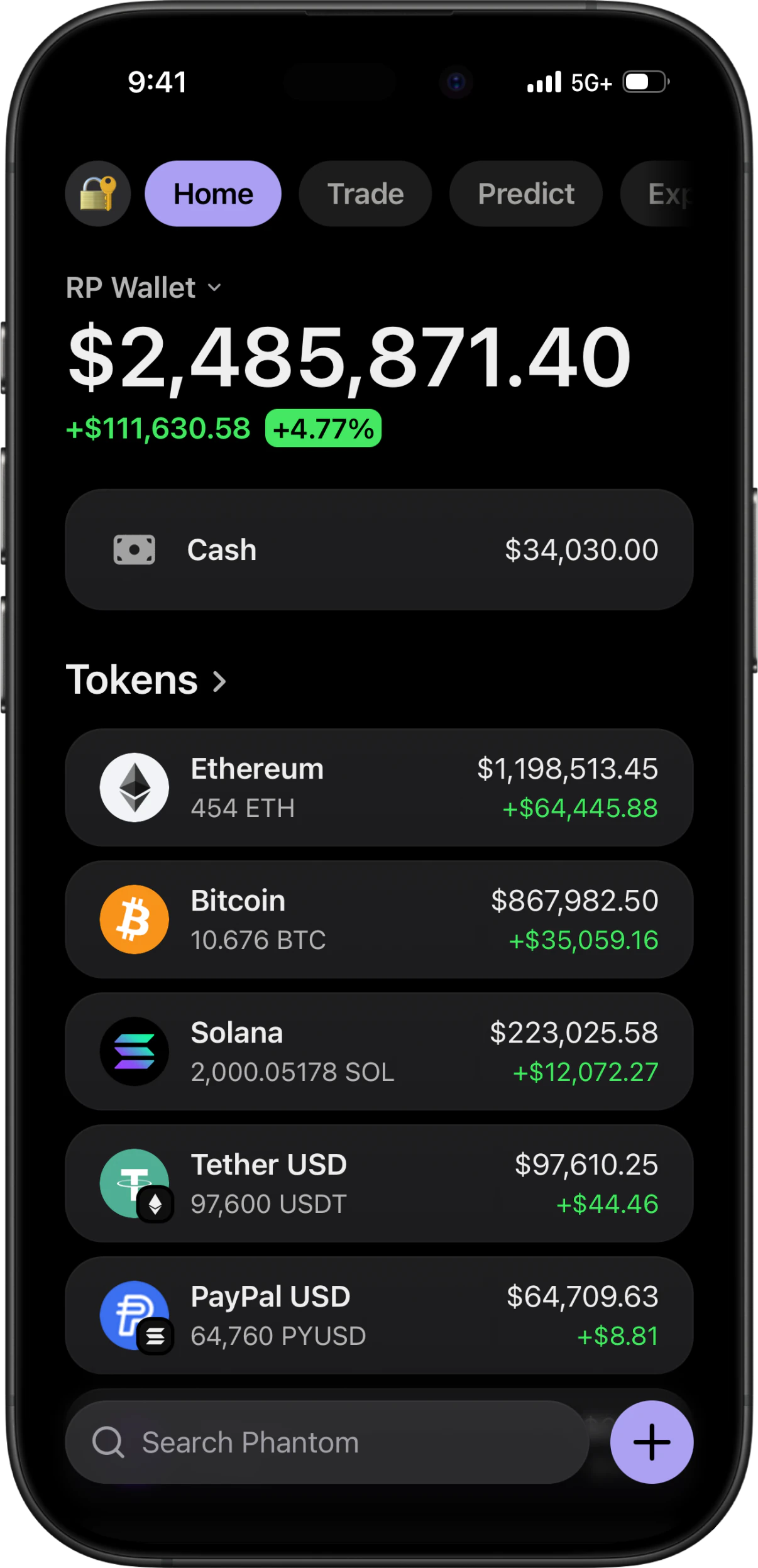
The short answer
To set up a wallet roleplay or demo: pick the interface that fits the lesson or scene — Phantom for Solana, Trust Wallet for multi-chain, Exodus for portfolio allocation, or Ledger Live for device-management and staking flows. Install the PWA to your phone's home screen for a clean capture, configure the fictional balances and tokens needed for the scenario, and add simulated activity if the walkthrough requires it. Before publishing, review the capture for accuracy and place a clear simulated or demo label where viewers will see it.
Before you start
- A phone. The whole point is that the screenshot comes from the device a real wallet would live on.
- A rough idea of the story — which chain, roughly what total, whether this is a long-term holder or one lucky trade.
- An RPWallet licence key, and about ten minutes.
- A clear disclosure label for any capture that could otherwise be read as a real balance or transaction.
Six steps, about ten minutes
The first five configure the demo. The sixth checks accuracy, legibility, and disclosure before publication.
Pick the interface that matches the chain
This decision sets the rest of the demo. Phantom is Solana-native, Trust Wallet spans Bitcoin, Ethereum, BNB, Solana, Tron, Litecoin, Dogecoin, XRP, Arbitrum, Base and Sui, and Exodus leads with an allocation ring for portfolio-distribution stories. Ledger Live adds simulated hardware-device management, blockchain apps, storage and staking flows. Choose the interface whose actual controls support what you need to teach or show.
Get it onto your home screen
Install the PWA to the home screen rather than working in a browser tab. Launched from its icon, the app runs full screen without browser controls competing with the demo. On iPhone that is Safari's Share sheet; on Android it is Chrome's menu. Both routes take about two minutes and are covered step by step in the setup guides.
Set the balances as quantities
Manage Tokens → BalancesOpen Manage Tokens and stay on the Balances tab. Each field takes a token quantity, not a dollar amount, and the fiat value is derived from that quantity against the live market price — which is exactly why the totals, percentages and daily changes all stay consistent with each other. Work backwards from your target: for roughly $50,000 of SOL at a $180 price, enter about 278.
Import the tokens that are not in the list
Search token name or symbol…The built-in list covers the majors. A new token, an unlisted project asset, or a fictional ticker for a scene can be added by searching by name or symbol and importing it. If it has no listed image, upload an authorized logo so the demo uses the intended project branding.
Fill in the history behind the numbers
If the tutorial needs transaction history, trigger only the simulated transactions relevant to the lesson so the activity feed supports the walkthrough. Transactions and notifications can be fired while recording; label the resulting footage as simulated wherever viewers could mistake it for real activity.
Review and label the result
Open the screenshot on a laptop or play the video back full screen. Check that the text is legible, the simulated totals are internally consistent, and no real personal or wallet data appears. Add a clear simulated or demo label in the content itself before publishing.
If something goes wrong
- The fictional balance could be mistaken for proof of funds.
- Add a prominent simulated or demo label to the image or video itself, and repeat the disclosure in the caption or presentation notes. Never use a generated balance as evidence of real holdings.
- The disclosure is lost after the content is reposted.
- Put the simulated or demo label inside the captured frame rather than relying only on surrounding text. A caption can disappear when an image or clip is shared elsewhere.
- The rows do not add up to the total.
- This happens when balances get edited in more than one pass and one figure is left behind. Add the individual fiat values and compare them to the headline. Setting quantities rather than dollar figures avoids it, because every derived number recalculates together.
- There is an address bar at the top.
- You are in a browser tab rather than the installed app. Add it to your home screen and launch it from the icon. It cannot be cropped out of a vertical video without losing the top of the frame.
- The wallet does not match the coin.
- Match the interface to the workflow in step one: Phantom for Solana, Trust Wallet for broad multi-chain, Exodus for allocation views, and Ledger Live for simulated hardware-device management.
- The capture is hard to read on a larger screen.
- Review at full size before publishing. Confirm that text, logos, totals, and the simulation disclosure remain clear at the size your audience will see.
Larping Exodus
Exodus is the one people ask about most, and the answers online are mostly desktop tools that patch the real app on a computer. The interface here is a rebuild, so nothing is patched and nothing is installed on top of a real wallet: you set balances the same way as anywhere else, and the distinctive part is the allocation ring, which redraws around whatever weights you enter. Because the ring weights by fiat value rather than token count, a large balance of a cheap token is a thin slice — check the ring, not the quantities, when the shape looks wrong.
Choosing Trust Wallet, Phantom or Ledger Live
Trust Wallet is the multi-chain pick, with eleven networks in one token list. Phantom is Solana-native and supports read-only public-address mirroring for educational portfolio walkthroughs. Ledger Live is the hardware-wallet companion view, with simulated devices, blockchain apps, storage and staking flows. None of these interfaces connects to or controls a real wallet.
Why this is a phone job, not a desktop one
A lot of what ranks for this is desktop software that modifies a real wallet app on a computer — download a folder, run it, press a key combination to change a number. Two problems with that. It puts unvetted code on the machine where your actual wallets live, and it produces a desktop screenshot, when almost every wallet screenshot anyone believes was taken on a phone. Running a separate simulator on the phone avoids both: nothing touches a real wallet, and the output is already the right shape.
Where the line is
Larping is a performance, and it works because it is understood as one — content, a bit, a scene, a demo. The moment a simulated balance is used to get someone to send money, invest, extend credit or hand over access, it stops being a larp and becomes fraud, and that is true regardless of which tool made the screen. Labelling the content costs nothing and settles the question for anyone arriving without context.
How to larp a crypto wallet FAQ
How do I larp an Exodus wallet?
Pick the Exodus-style interface, install it to your home screen, then set each holding as a quantity in Manage Tokens. The allocation ring redraws around the fiat weight of what you enter. Nothing patches or modifies the real Exodus app — this is a separate rebuilt interface, which is why it runs on a phone rather than needing a desktop tool.
How do I larp Trust Wallet?
Use the multi-chain interface, which covers Bitcoin, Ethereum, BNB, Solana, Tron, Litecoin, Dogecoin, XRP, Arbitrum, Base and Sui in a single token list. Set each asset's quantity on the Balances tab and import anything not already listed. It is the right pick whenever the portfolio needs to cross chains.
Do I need a computer to larp a wallet?
No, and it is better not to. Much of what is published on this involves desktop software that modifies a real wallet application, which both puts unvetted code on the machine your actual wallets live on and produces a desktop screenshot. This runs on the phone, which is where a believable wallet screenshot comes from anyway.
How long does it take to set up the first time?
About ten minutes end to end: two to get it on your home screen, five to set balances and import tokens, and a couple more to fire off some activity so the history is not empty. Subsequent setups are faster because saved balances persist between sessions.
Why does my larp still look fake?
Almost always one of five things: round numbers with no decimal tail, every position showing green, individual rows that do not add up to the headline total, a browser address bar at the top of the frame, or a status bar showing a nearly dead battery. All five are invisible on a phone and obvious at full size, which is why the last step is reviewing it on a bigger screen.
Next guides
Choose a LARP wallet for your scene
Choose between Phantom, Trust Wallet, Exodus and Ledger Live-style LARP wallets by planning your scene, assets and on-screen interactions.
Plan a LARP wallet video
Plan a fictional LARP wallet video with a simple shot list, consistent token quantities, a rehearsal and clear simulation labeling.
Understand live prices and demo balances
Check token quantities, live prices and display currency before recording a simulated portfolio. Learn why the total can change between takes.
Every RPWallet guide
Setup, balances and tokens, and content — the full index.
Keep reading
LARP Wallet
What a larp wallet is, who uses one, and what the four interfaces actually do.
Set custom balances
The balance step in full, including how the totals and allocation ring recalculate.
Record wallet screen video
Taking the larp to video: live-looking price movement and a clean status bar.
Safety & Responsible Use
What RPWallet never does, which uses are prohibited, and how to disclose simulated visuals.
Set up your first larp
No download, no seed phrase, no real funds. Installs to your home screen on iOS and Android in about two minutes.