Same tokens. A different total.
A demo portfolio can move even when you have not changed a holding. Check the quantity, quote and display currency separately before deciding that your saved balance is wrong.
The short answer
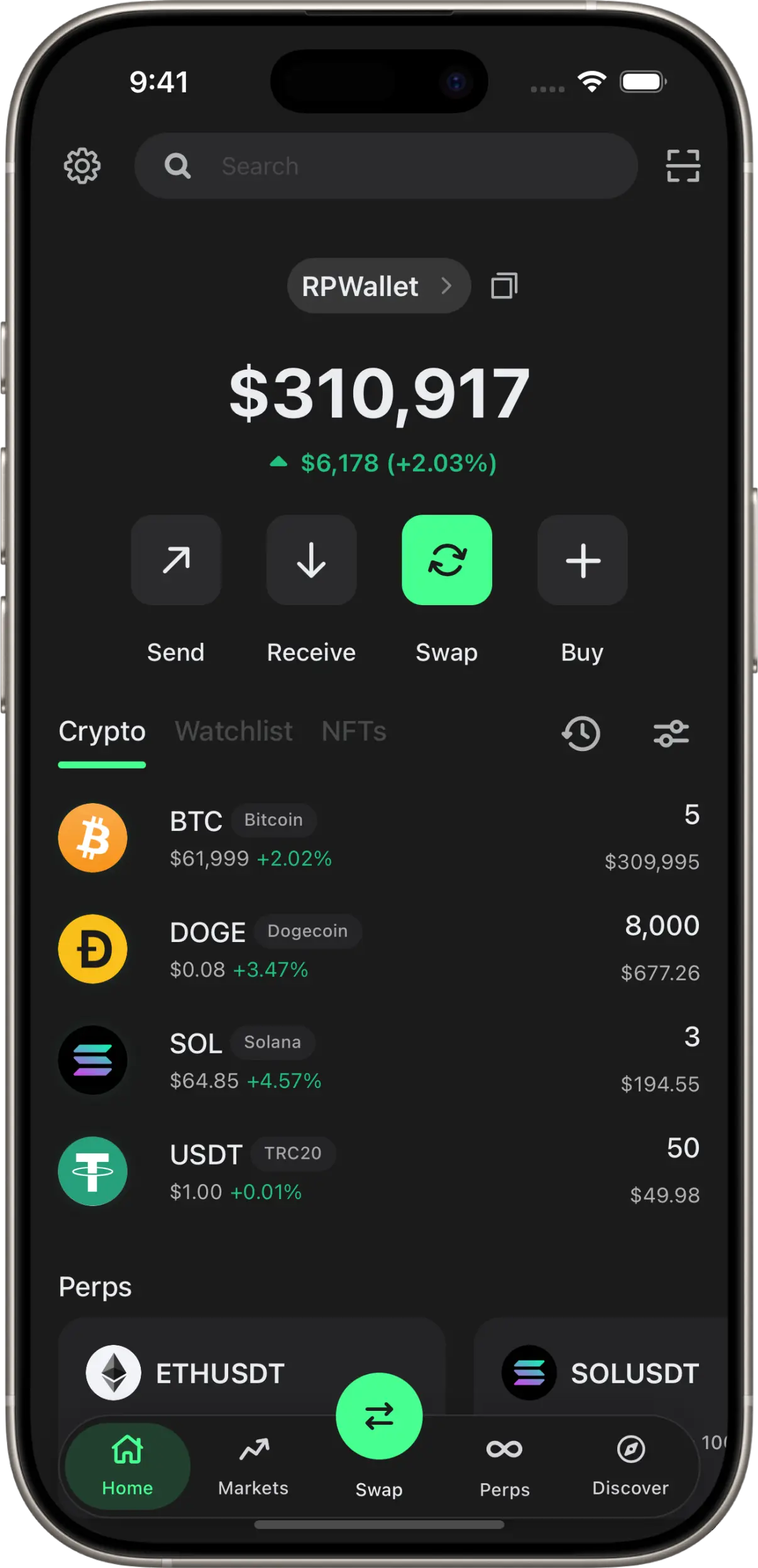
A token holding is a quantity; its displayed value depends on a price. For a fictional holding of 2 tokens, a quote of $100 gives a $200 position. A later quote of $105 gives $210 without adding any tokens. RPWallet uses market data for supported assets, but the holdings and transactions you configure are simulated.
Before you start
- An activated RPWallet crypto interface with a configured holding.
- A connection for current market quotes.
- A note of the asset, network, quantity and display currency used in your scene.
Check the four parts of the number
Use one visible asset first, then return to the full portfolio.
Open the asset you are comparing
From the portfolio, open a token row and note its symbol and network. Use the same asset in both takes. A token on another network or an imported token with the same ticker can represent a different entry.
Separate the holding from the quote
Read the token quantity and the displayed market price as two different values. Compare the quantity with your scene notes. If that quantity is unchanged but the quote has moved, the portfolio value may correctly differ from the previous take.
Check the unit of the total
Read the currency symbol or code beside the value. Do not compare a USD total with a EUR or GBP total as though they were the same measurement. Allow for display rounding when checking quantity multiplied by price; a short on-screen quote may hide decimal places.
Return to the portfolio and rehearse
Review the full portfolio after checking the individual asset. Hidden holdings, additional assets and account selection can change which rows you are looking at. Record connected shots close together and keep your original quantity notes for another take.
Describe the result accurately
When narrating, distinguish the fictional token holding from its market-based valuation. A displayed increase is not evidence that money was received or a trade made a real profit. Keep the simulation context visible in the exported recording.
If something goes wrong
- The quantity changed as well as the value.
- Check whether a rehearsal, simulated trade or transfer changed the holding. A price update explains a changed valuation, not a changed token quantity. Restore the intended starting state through the wallet's balance controls if your next take needs it.
- A new token has no current price.
- A custom symbol alone does not establish a market quote. Check the imported asset's network and contract, connection and available market data. Do not treat an unavailable quote as evidence that the holding is worth zero.
- A fiat total must match an earlier shot exactly.
- Record the related sequence together and check its totals before exporting. Do not assume a live quote will stay fixed while you film a later pickup. A script built around token quantities is easier to keep consistent.
Understand live prices and demo balances FAQ
Do live prices make the funds real?
No. Market quotes and simulated holdings are separate. RPWallet does not hold the assets represented by your configured balance or broadcast a real blockchain transaction.
Is a token amount the same as a dollar amount?
No. A crypto holding uses token units; the displayed fiat value uses a price and display currency. Read the field label rather than assuming a number is in dollars.
Can two recordings show different totals with the same holdings?
Yes. Market quotes can move between recordings. Compare the asset quantity and display currency before changing your saved setup.
Next guides
Set custom balances
Set a demo balance using the right units, save it, and check the portfolio total. Learn why asset quantity, cash value, visibility, and live prices differ.
Import a custom token
Step-by-step: search a token by name or symbol, import it into the wallet, upload your own logo when there is no listed image, and remove it afterwards. For memecoins, pre-launch tokens and anything with no market listing.
Mirror a public address
Step-by-step: paste any public Solana address into the Watch Address tab and have the simulator populate its token list from that address's real, publicly visible holdings — with no connection, no signature and no key of any kind.
Every RPWallet guide
Setup, balances and tokens, and content — the full index.
Keep reading
Build a portfolio you can explain.
No download, no seed phrase, no real funds. Installs to your home screen on iOS and Android in about two minutes.