Trust Wallet
LARP wallet.
Build a character whose portfolio spans more than one chain. The Trust Wallet-style LARP app brings Bitcoin, Ethereum, Solana and other supported assets into one mobile scene, with balances you control.
Explore the Trust Wallet simulator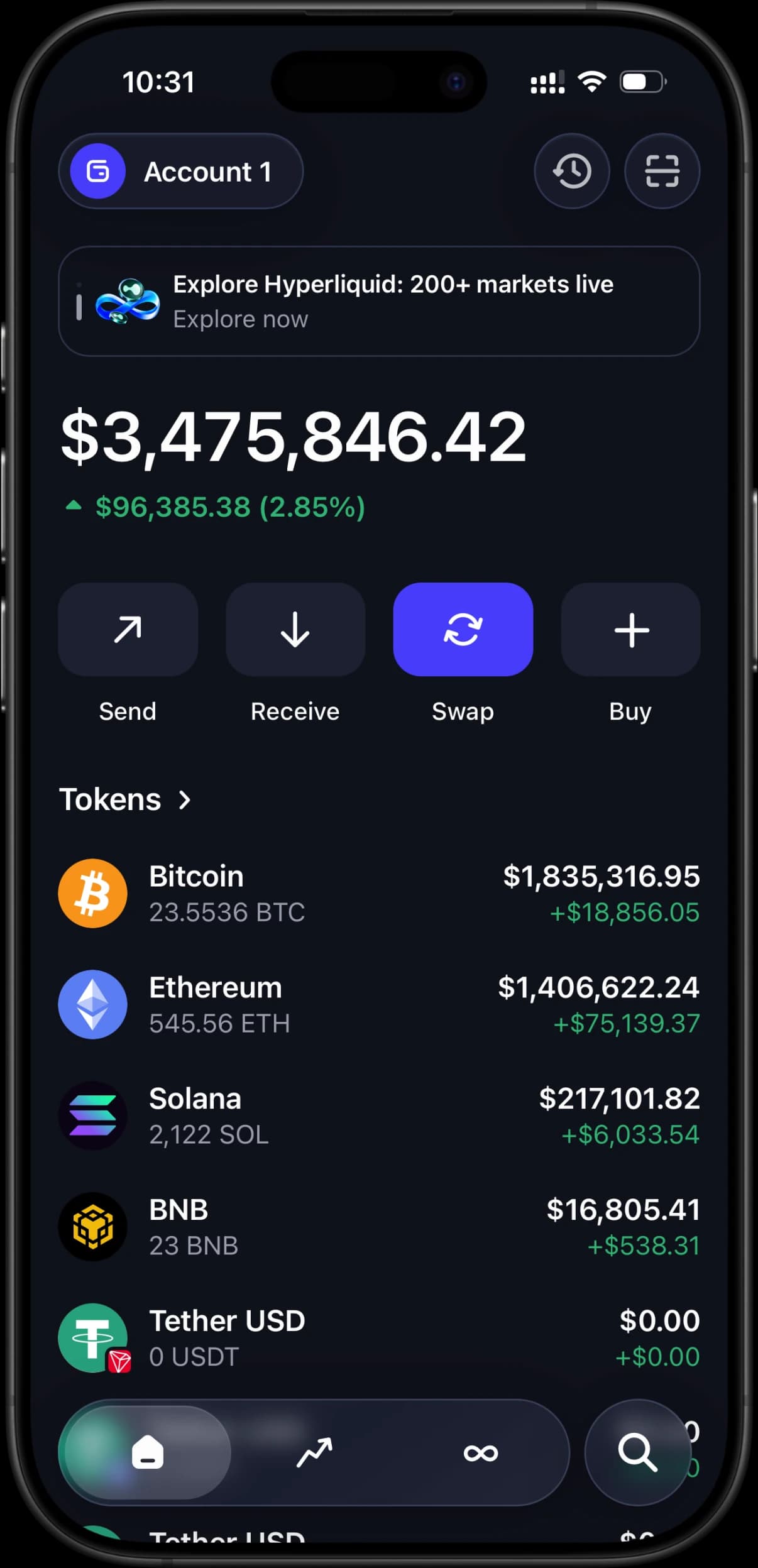 Your numbers. A fictional world.
- Multiple supported networks
- Custom balances and tokens
- Asset detail screens
- Simulated transaction flows
The portfolio walkthrough
A presenter explains a fictional mix of assets. Start with the whole portfolio, open one holding at a time and make each stop answer a different question in the script.
Set your token balancesPick the networks
Choose the assets your scene needs before entering amounts. Keep a note of each token's network so similarly named assets do not get mixed up.
Give each holding a purpose
Use a few clearly different positions for the example. A simpler portfolio is easier to explain in a short video than a long list of unrelated coins.
Rehearse the handoff
Check the transition from the overview to each asset screen. If you show an exchange or transfer, describe it as simulated in the video.
A few useful answers.
What makes this LARP wallet different from Phantom?
The Trust Wallet-style interface works well for a story that moves between several networks. Choose the visual language your audience expects; both options display simulated holdings rather than real funds.
Does a simulated transfer move real cryptocurrency?
No. RPWallet cannot sign or broadcast a blockchain transaction. Any activity you show belongs to the simulation, even when an asset uses a familiar ticker or live market price.
Is RPWallet affiliated with Trust Wallet?
No. RPWallet is an independent simulation tool and is not affiliated with Trust Wallet. The screens and balances are for disclosed fictional content and demonstrations, never proof of real funds.