Looking for an Exodus Wallet IPA? Skip the sideload.
An Exodus-style portfolio reveal should start with your allocation, not a search for a signed IPA. RPWallet puts the portfolio ring, editable holdings and simulated asset screens on your iPhone through a Home Screen web app.
Explore the Exodus simulator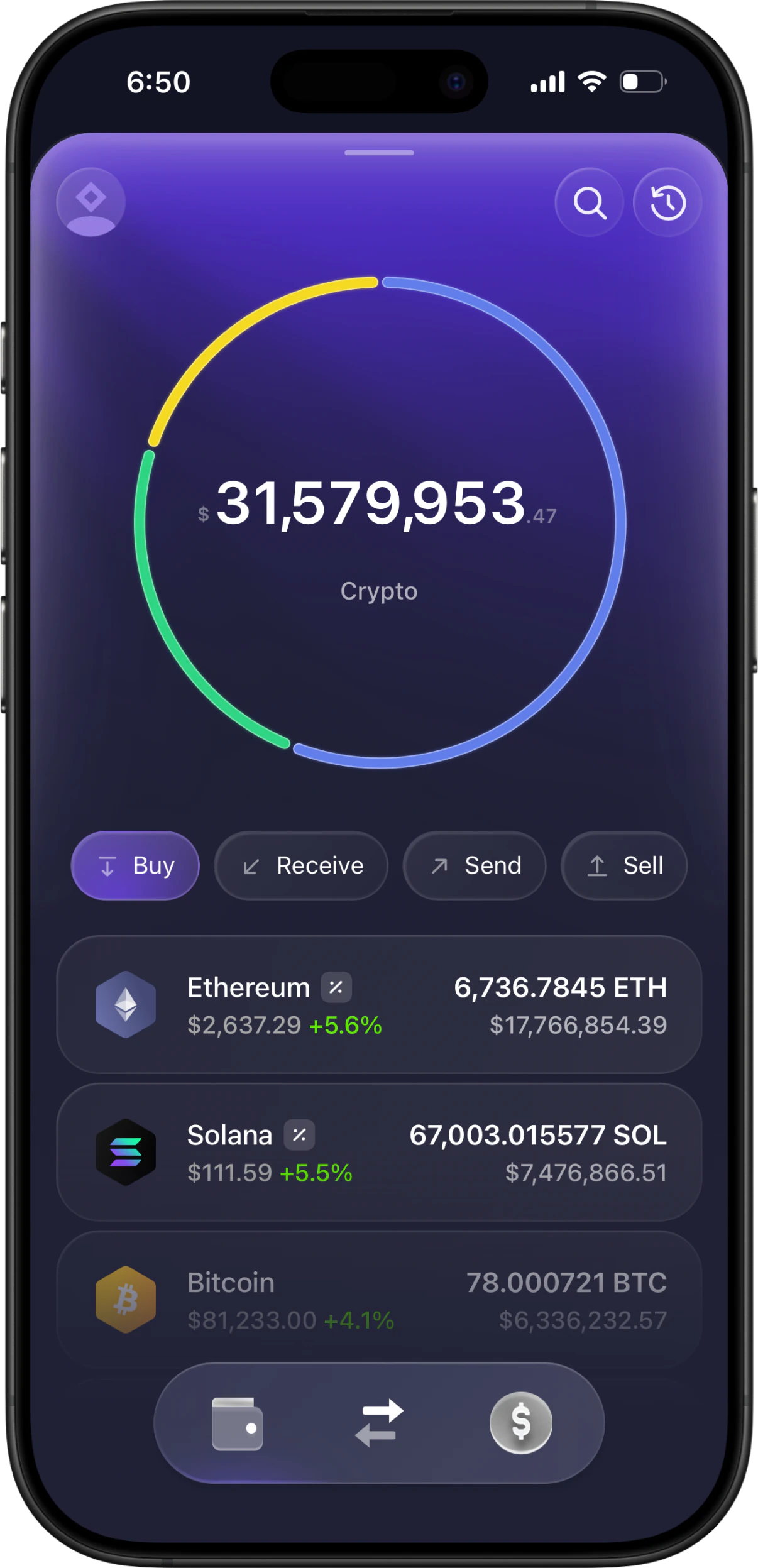
A wallet demo, without the IPA
RPWallet offers a separate Exodus-style simulator, not an Exodus IPA. Open it from the dashboard in Safari and add the app to your Home Screen. The fictional holdings and portfolio ring are configured inside the simulator, so there is no native package to sign before preparing your recording.
Less setup before your first take
An IPA is one installation route. For a simulated wallet scene, a browser-installed app removes the signing workflow.
The sideloading route
Sideloadly uses a Mac or Windows computer and an Apple ID to install an IPA. Free-account signing lasts seven days; its auto-refresh can renew it. A jailbreak is not required.
Sideloadly documentationThe RPWallet route
Install the simulator directly on your iPhone through Safari. No IPA, signing computer or developer certificate is part of this flow. Access follows your RPWallet plan, and online features still need an internet connection.
See the iPhone setup guideLet the allocation tell the story
The portfolio ring is the focal point of an Exodus-style scene. Decide what it should communicate before choosing the individual amounts.
Sketch the proportions first
Decide which holding dominates the fictional portfolio and which assets support it. Then enter quantities and review how those positions divide the allocation ring.
Connect the overview to the details
Pair the portfolio shot with one or two asset close-ups. Keep the holdings consistent through the sequence so the ring, asset list and detail screen agree.
Review the value between takes
Supported assets can use live market prices. Even unchanged token quantities can produce a different displayed total, so check related shots together before editing the final video.
From Safari to your Home Screen
Install the wallet app you selected in the dashboard, then open its icon when you are ready to record.
Open your dashboard in Safari
Go to RPWallet on your iPhone and activate your license in the dashboard. Choose the wallet app you want to install.
Add the wallet's own page
Open that app, use Safari's Share menu and choose Add to Home Screen. Enable Open as Web App when the option appears, then tap Add.
Launch and prepare your demo
Open the new Home Screen icon, complete any activation shown and set your fictional holdings. Test a short recording before filming the full scene.
Safari controls vary by iOS version. Apple's Home Screen web-app guide shows the current menu.
Exodus on iPhone: your questions
Is there a fake Exodus IPA download on this page?
No. RPWallet's Exodus-style simulator uses Safari installation on iPhone. It is a separate web app, not a repackaged copy of Exodus or an IPA download.
Does the allocation ring follow my simulated balances?
Yes. The ring reflects the portfolio you configure. Prepare the relative holdings first and review the resulting display before recording a close-up.
Why did my portfolio total change after I installed it?
A displayed value can move with the live prices of supported assets even when your token quantities are unchanged. Installation does not freeze market data; check the valuation again before another take.
Does the iPhone simulator send real crypto?
No. It is designed for disclosed demos and fictional productions. Neither the portfolio nor the simulated send screens hold or move real funds, and RPWallet is not affiliated with Exodus.
Ready to build your next scene?
Choose a plan below and prepare your Exodus-style demo. RPWallet is an independent simulation tool for disclosed fictional content; it does not hold or transfer real cryptocurrency.