Looking for a Phantom Wallet IPA? Skip the sideload.
Need a Phantom-style wallet on your iPhone for a video, tutorial or fictional scene? RPWallet gives you editable token holdings and simulated activity through a Home Screen web app. You can skip the IPA file and spend that setup time on your shot.
Explore the Phantom simulator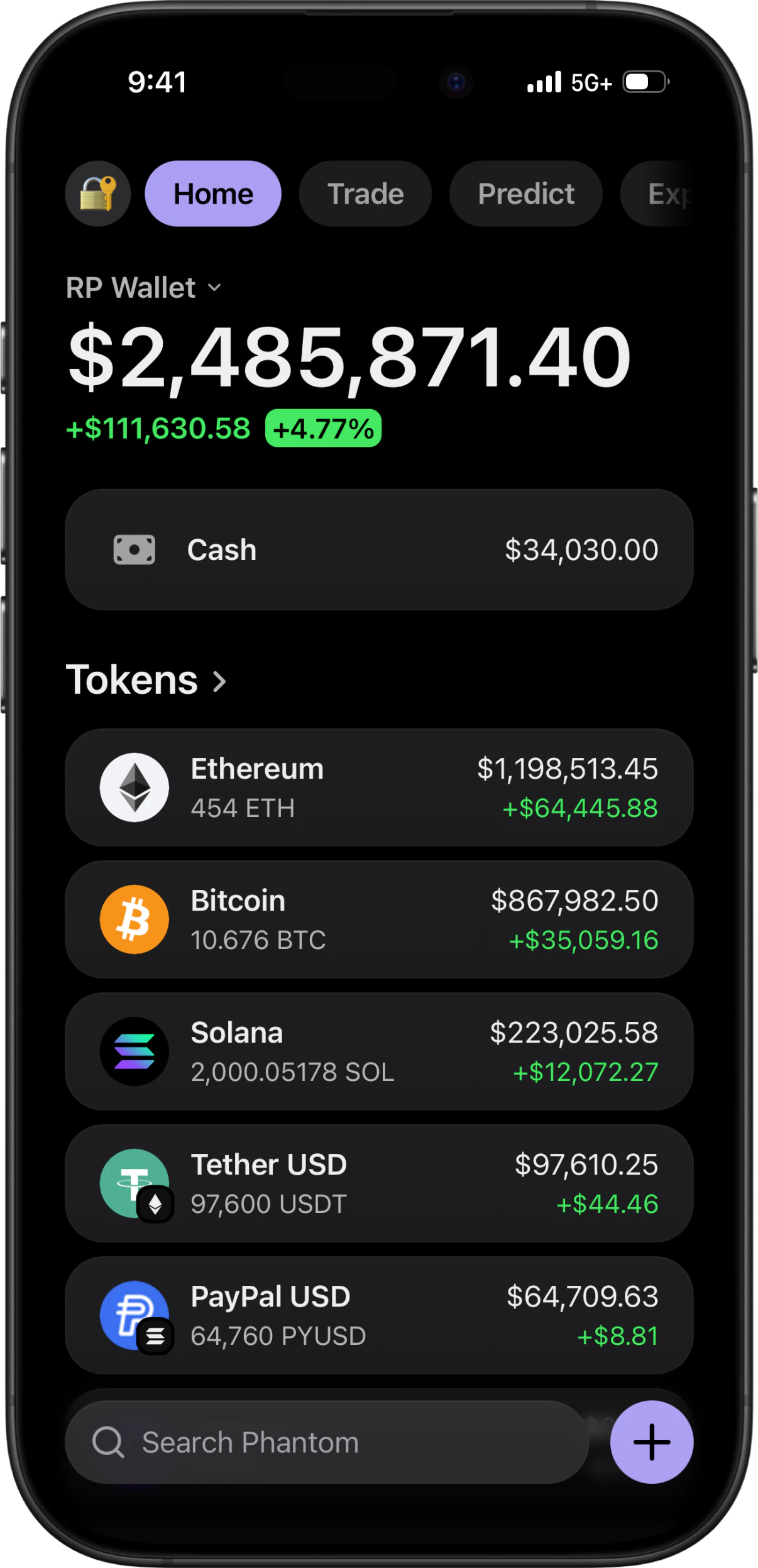
A wallet demo, without the IPA
RPWallet does not distribute a Phantom IPA or a modified version of the official wallet. It is a separate simulator: open the Phantom-style app from your RPWallet dashboard in Safari, add that app to your Home Screen, and use your license to access it. There is no developer-signing step in this installation flow.
Less setup before your first take
An IPA is one installation route. For a simulated wallet scene, a browser-installed app removes the signing workflow.
The sideloading route
Sideloadly uses a Mac or Windows computer and an Apple ID to install an IPA. Free-account signing lasts seven days; its auto-refresh can renew it. A jailbreak is not required.
Sideloadly documentationThe RPWallet route
Install the simulator directly on your iPhone through Safari. No IPA, signing computer or developer certificate is part of this flow. Access follows your RPWallet plan, and online features still need an internet connection.
See the iPhone setup guideBuild the scene around your token
A Phantom close-up usually depends on the token list and the interaction that follows it. Prepare those details in the simulator before starting your screen recording.
Put the lead token first
Set the fictional SOL and token quantities your script needs. Import a custom token when the scene revolves around a project or memecoin, then check its name, image and amount in the final camera crop.
Rehearse the full interaction
Go from the portfolio to token details and through the simulated send flow before filming. A moving demonstration needs those intermediate screens, not just an edited balance at the start.
Record from the installed app
Launch the Home Screen icon so browser controls stay out of the shot. Review the displayed numbers between takes and keep the simulation label in the exported video.
From Safari to your Home Screen
Install the wallet app you selected in the dashboard, then open its icon when you are ready to record.
Open your dashboard in Safari
Go to RPWallet on your iPhone and activate your license in the dashboard. Choose the wallet app you want to install.
Add the wallet's own page
Open that app, use Safari's Share menu and choose Add to Home Screen. Enable Open as Web App when the option appears, then tap Add.
Launch and prepare your demo
Open the new Home Screen icon, complete any activation shown and set your fictional holdings. Test a short recording before filming the full scene.
Safari controls vary by iOS version. Apple's Home Screen web-app guide shows the current menu.
Phantom on iPhone: your questions
Can I download a Phantom Wallet IPA here?
No. This page offers RPWallet's independent Phantom-style simulator for iPhone. There is no IPA download and it is not the official Phantom app. For a wallet that manages real assets, use Phantom's own official channels.
Will my existing Phantom account appear in RPWallet?
No account connection is part of this setup. Prepare the fictional portfolio inside RPWallet; you never need to import a recovery phrase or sign a wallet request.
Can I use a custom memecoin in the iPhone simulator?
Yes. The simulator includes custom-token controls. Follow the custom-token guide for its import and pricing options, then rehearse the token detail screen you plan to show.
Why do I still see Safari's address bar?
You are likely opening the browser tab rather than the installed app. Add the wallet's own page from the dashboard to your Home Screen and open its new icon. Use Open as Web App when Safari offers that setting.
Ready to build your next scene?
Choose a plan below and prepare your Phantom-style demo. RPWallet is an independent simulation tool for disclosed fictional content; it does not hold or transfer real cryptocurrency.